
What's New at Transfix: Q2 2026 Highlights
Over the past quarter, we shipped a wave of updates designed to help you price smarter, protect your margins, and move faster across the platform. Below is a roundup of the releases that matter most — organized into two areas: the Cost Model (how you price, rate, and manage contracts) and the Transfix TMS (the platform, procurement, and integrations you work in every day).
Cost Model — Price smarter, protect your margins
This quarter's cost and pricing releases give you more precise rates, earlier warning when margins slip, and more control over the commitments you take on.
Special Requirements — consistent fees, applied automatically
Fees and discounts across Cost Solutions have been reworked as Special Requirements. You can now set a default amount for each Special Requirement in the Control Panel, so whenever one is added to a lane, the default is applied automatically. That keeps pricing consistent across your team and cuts down on manual entry. Default amounts are also supported in the Spot Quote and Target Buy Rate APIs.
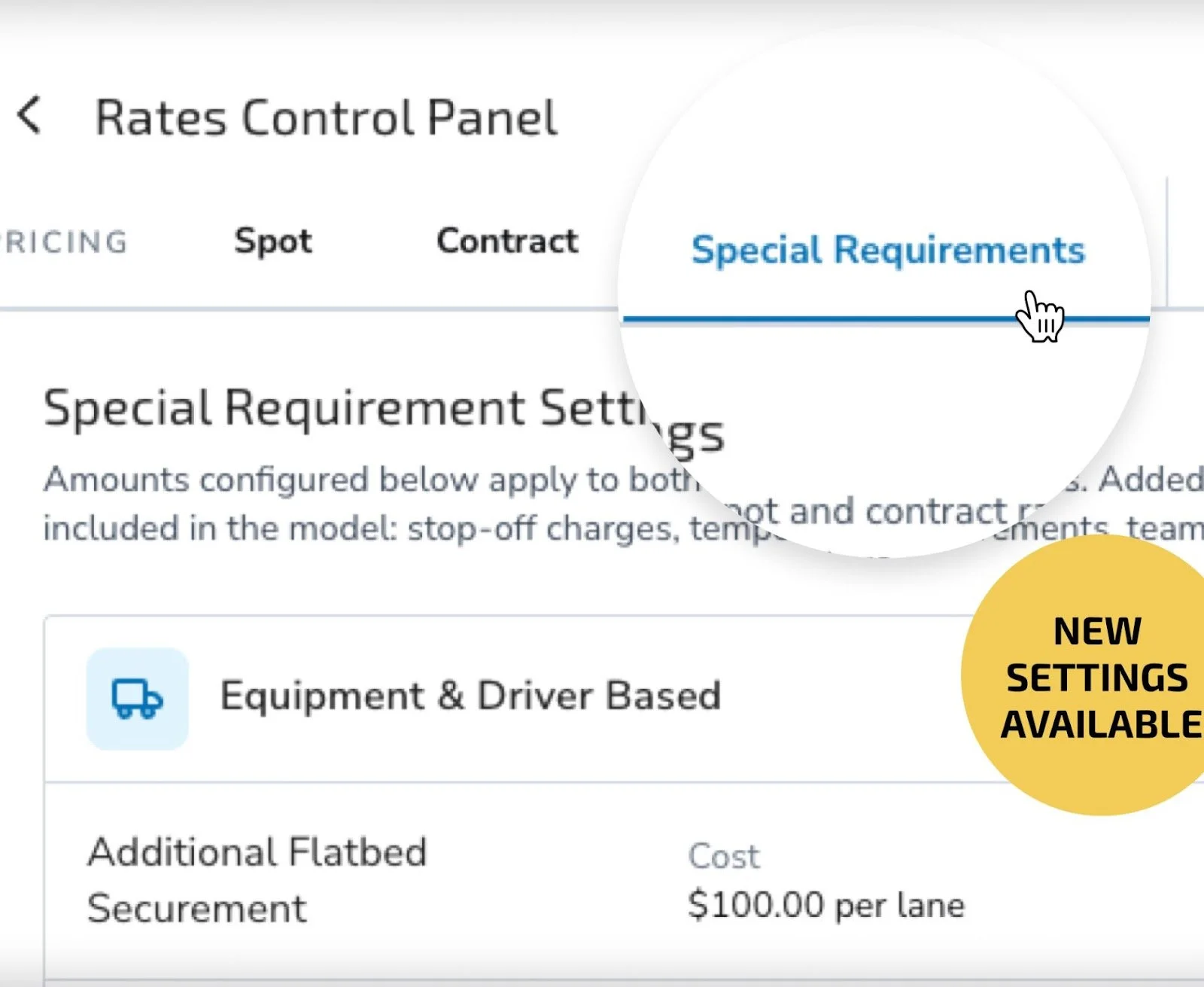
Transfix Rates Control Panel showing Special Requirements with default fee amounts
Improved Contract Performance Monitoring — see how contracts really perform
Contract Performance Monitoring now uses a tiered geographic matching cascade: shipments first attempt an exact ZIP5 match against contract lanes, then fall back to normalized city/state, and finally to ZIP3. The result is a substantial increase in shipment match rate — so your performance data far better reflects how your awarded contracts are actually being tendered.
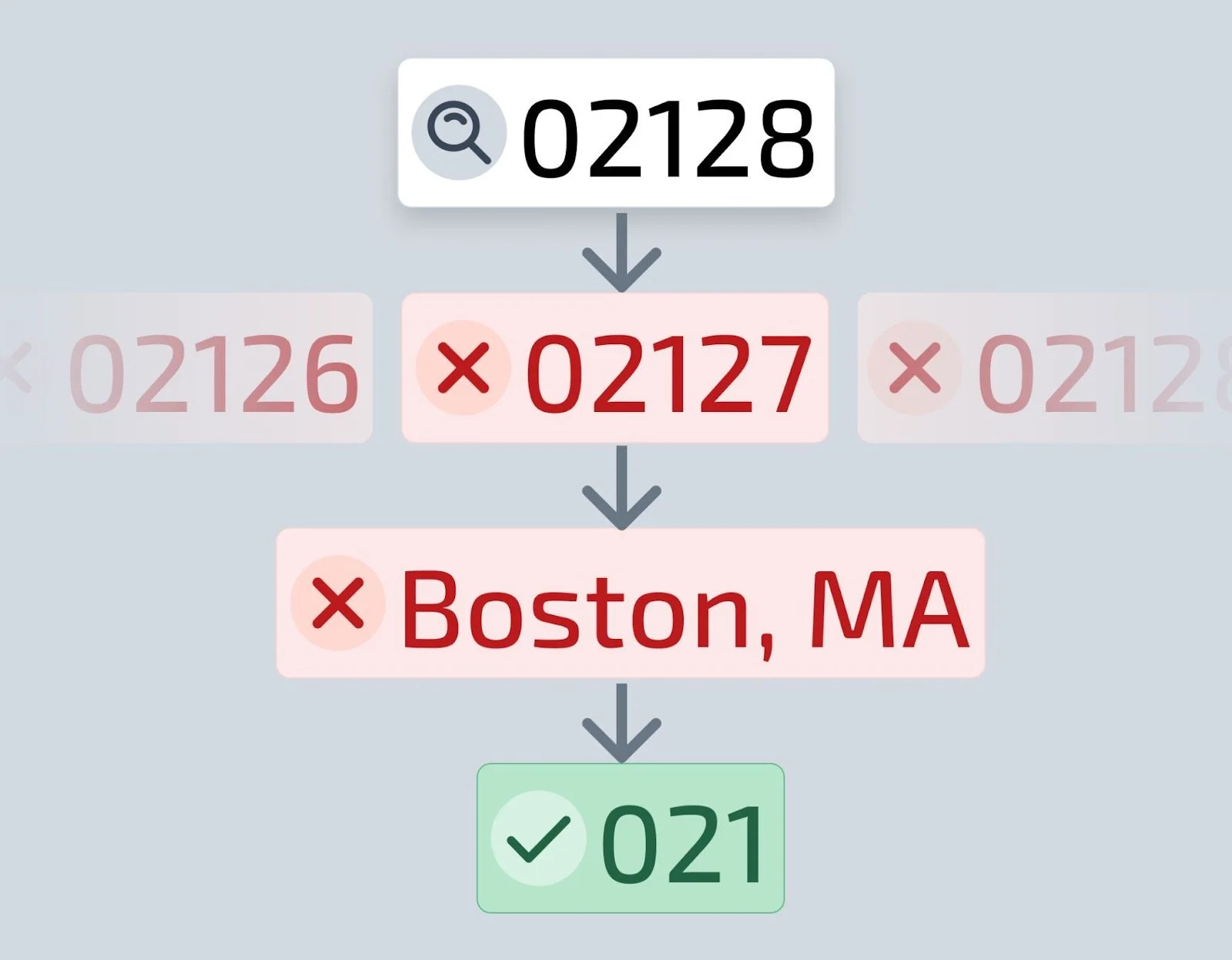
Transfix Contract Performance Monitoring dashboard with improved shipment match rates
Revised Forecasts — catch margin slippage mid-contract
Revised Forecasts refresh your carrier-rate forecasts for the remaining months of active and upcoming contracts, using your current custom cost model and the same pricing rules applied to the original carrier rate. At a glance, you can see whether margin is running higher or lower than originally forecasted and act before it erodes. Available for single lanes or in bulk via Rate Management.
See the Revised Forecast FAQ for details.
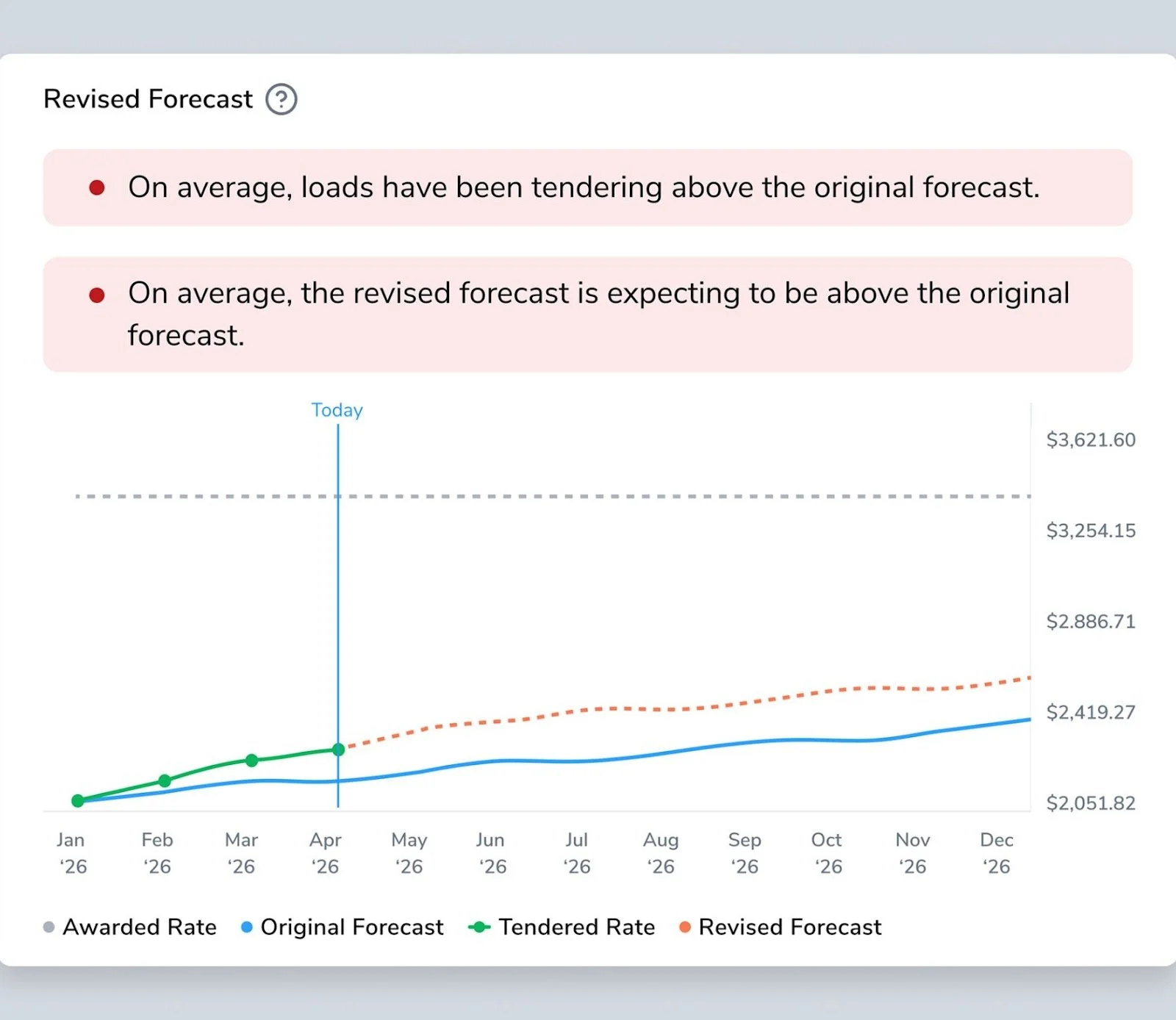
Transfix Revised Forecasts comparing refreshed and original carrier-rate margin by month
List Rates in the Control Panel & API
Set a List Rate alongside your Target Buy Rate in the Transactional Rates Control Panel. List rates are configured as a percentage of the target buy rate and can be adjusted at any time. The Target Buy Rate API now returns the list rate field too, so you can pull both rates in a single call.
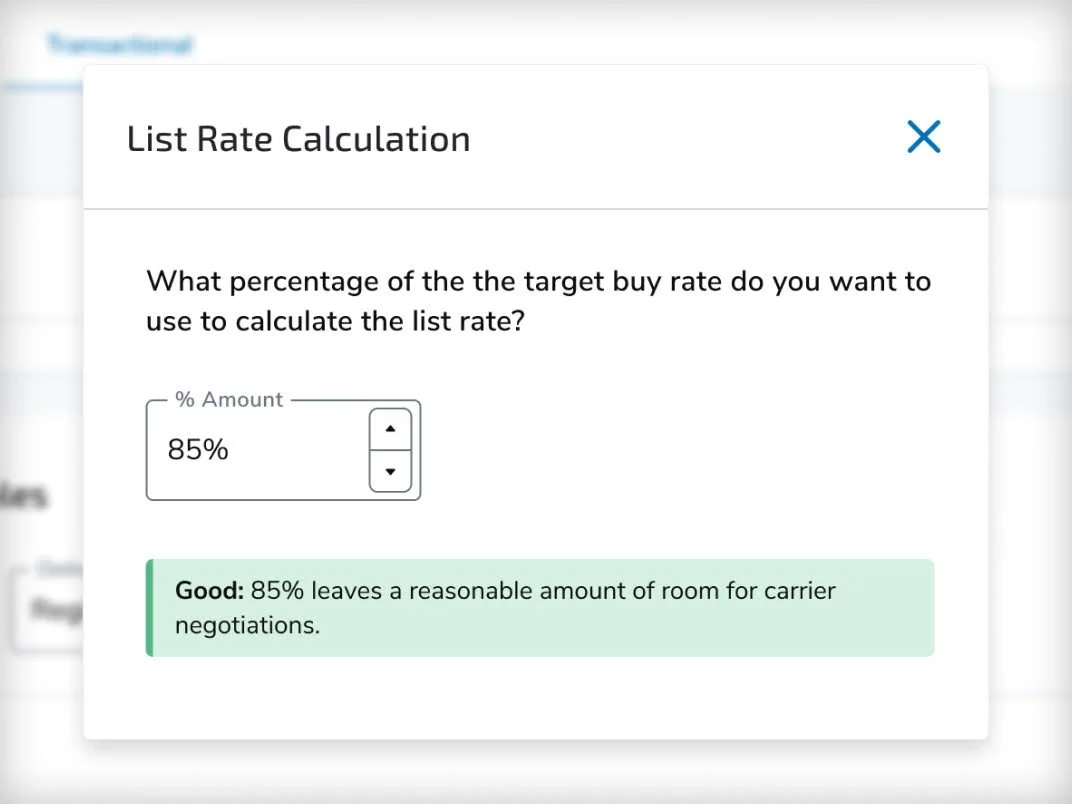
Transfix Transactional Rates Control Panel showing List Rate as a percentage of Target Buy Rate
Acceptance Caps — commit only to what you can cover
Add a cap on the number of shipments you want to accept per contract, within a daily, weekly, monthly, or yearly window. Set, edit, or disable a cap right from the contract rate overflow menu — so you can monitor your capacity commitments and stay on top of what you can actually cover.
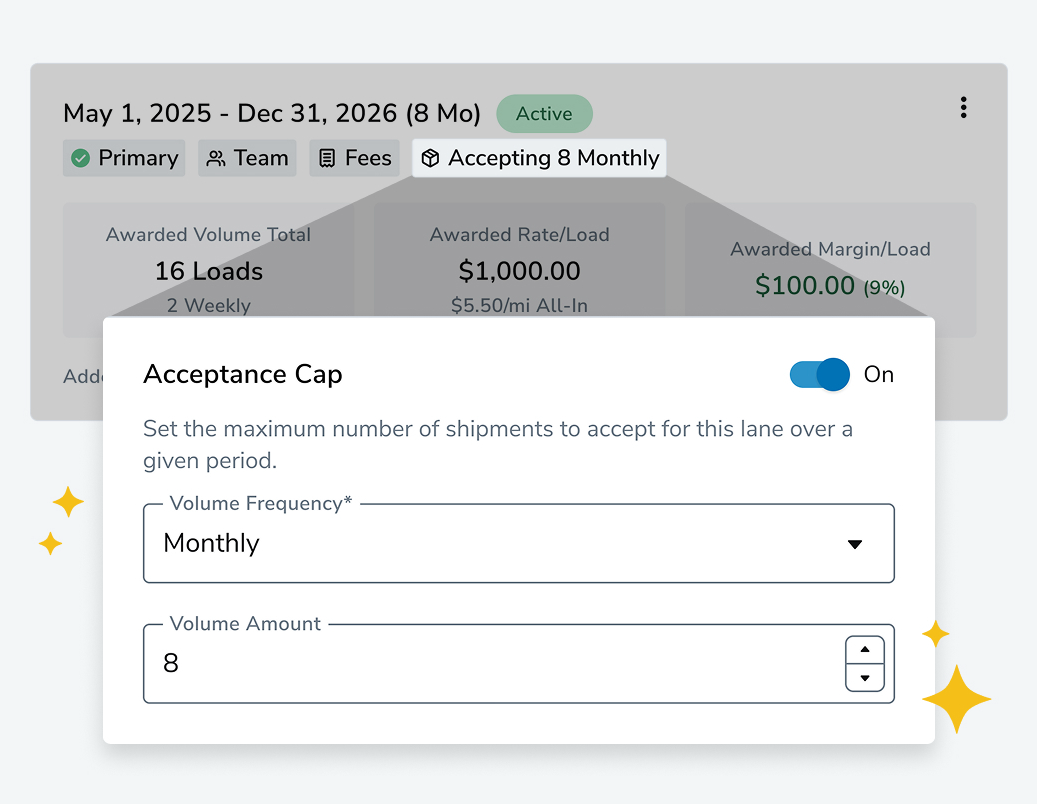
Setting a shipment Acceptance Cap from the contract rate menu in Transfix Rate Management
Sharper spot pricing: Multi-Stop Market Rates & Spot Quote enhancements
Market rates for multi-stop shipments are more accurate and reliable. The model now better incorporates total route distance across all stops and more accurately reflects additional transit between locations and across equipment types.
Spot Quotes also got more flexible:
Cancel a spot quote directly by setting its status to "Canceled" via UI or API, so inactive quotes can be explicitly closed.
Update quote amounts via API without recreating the quote — the new amount replaces the original and automatically recalculates margin.
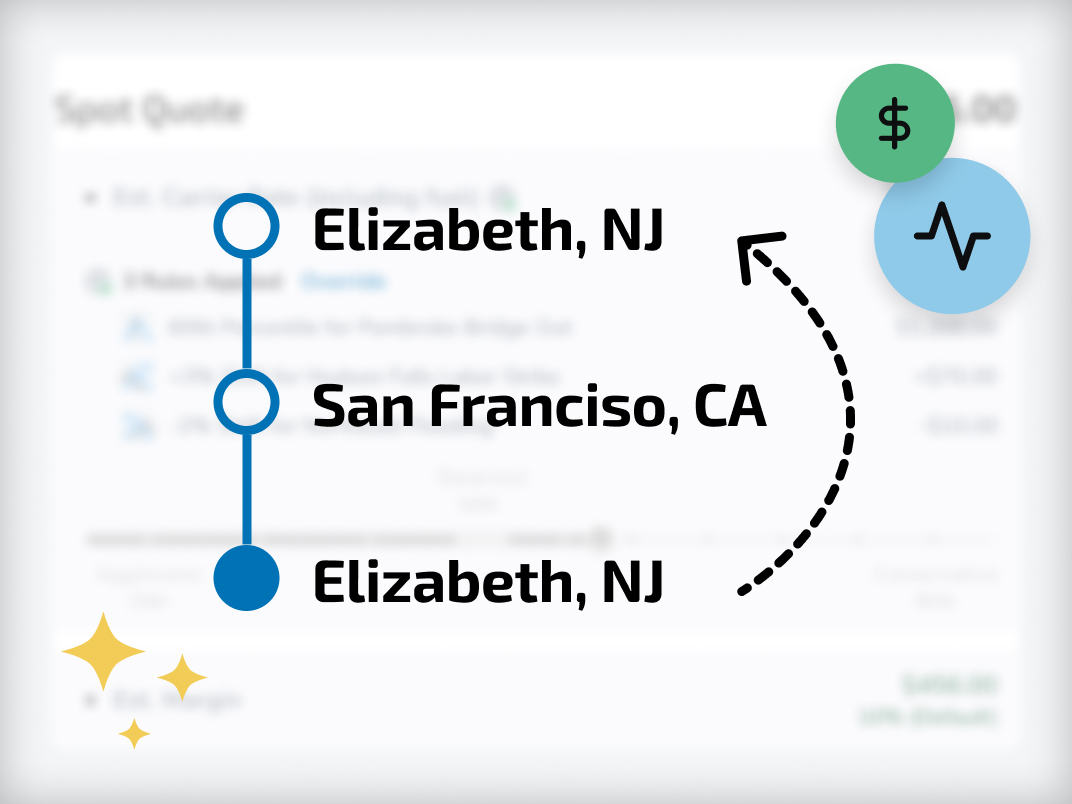
Transfix multi-stop market rate quote with Spot Quote status controls
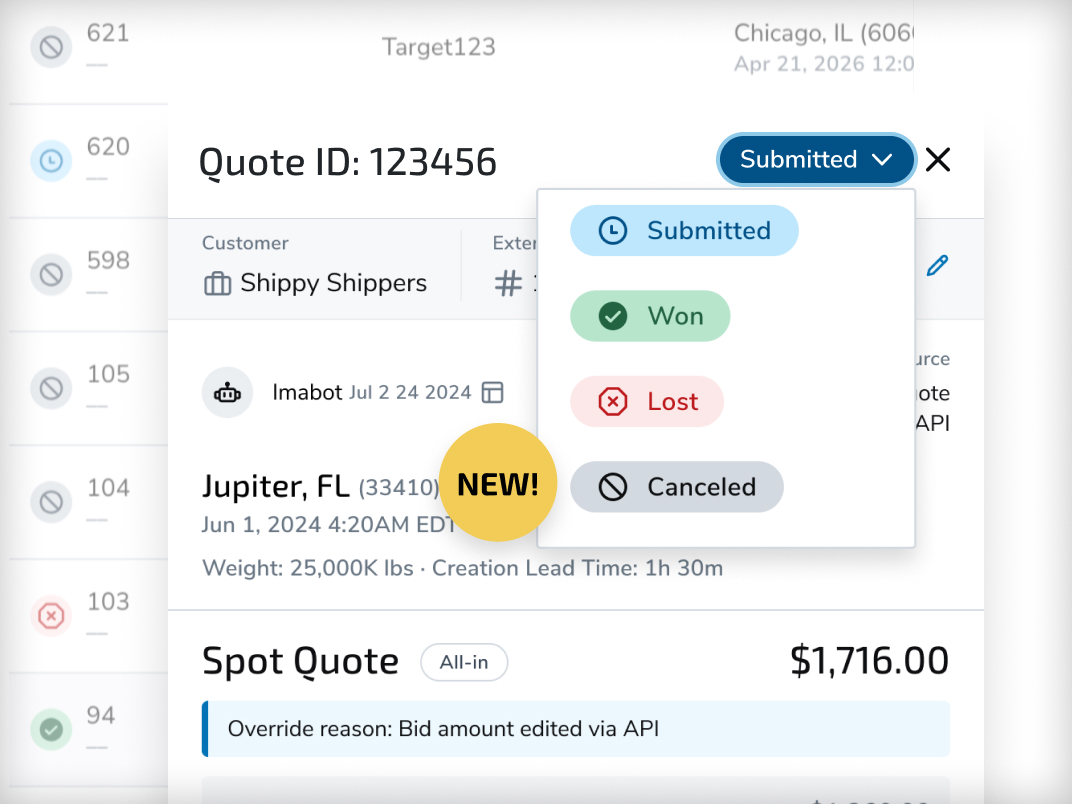
Margin & Markup terminology and precision
"Premium" is now "Markup" across Cost Solutions, aligning with standard industry terminology for the amount added on top of the carrier cost. RFP upload templates now reflect markup_pct (templates with the old column name still work). Margin % fields also now support two decimal places on both inputs and calculated values — so a margin set at 22.22% shows up exactly that way for cleaner tracking.
Transfix TMS — a faster, more powerful platform
On the platform side, we upgraded reporting for a stronger experience, made large Contract RFPs dramatically faster to manage, and made it easier to integrate with Transfix.
Contract RFP — Smart Upload Upgrade
An upgraded Smart Upload experience is now live in Contract RFP. It brings a more intuitive interface, enhanced AI to better automate your templates, and support for multiple header rows — all designed to make your uploads faster and more seamless.
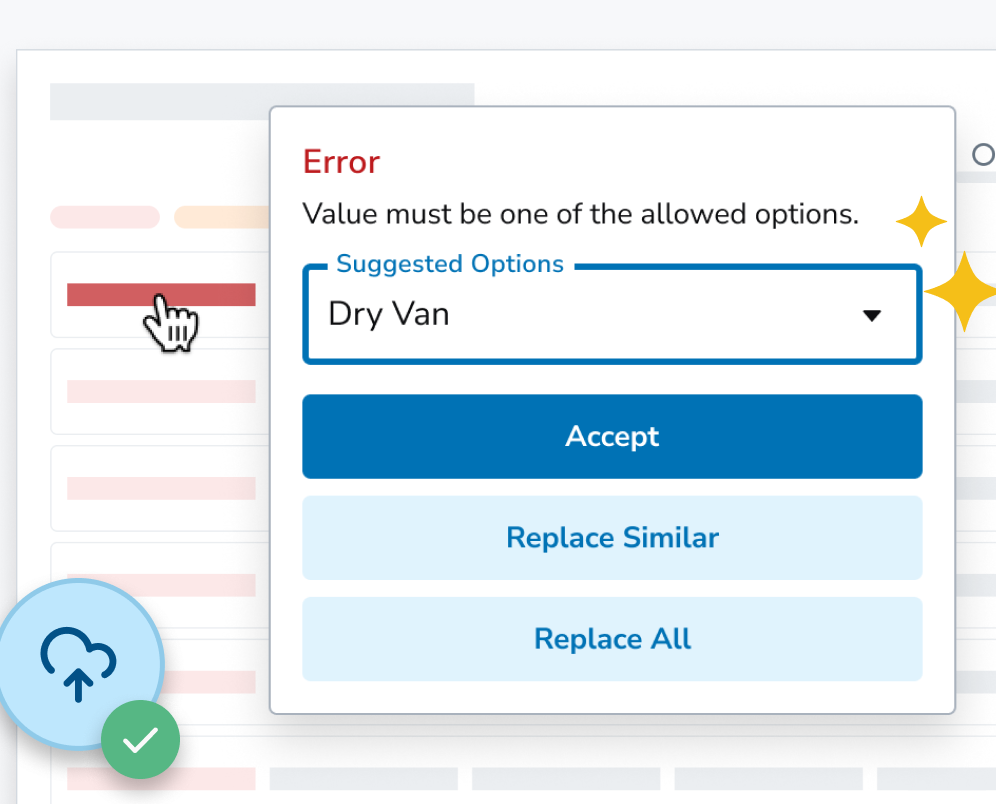
Transfix Contract RFP Smart Upload interface with AI template automation
Contract RFP — Bulk Actions
Updating lanes one at a time is slow on large Contract RFPs. Bulk Actions let you apply the same update across many lanes at once — just select the lanes and choose an action:
Rates: regenerate rates, or override the margin or cost.
Special Requirements & rate type: add a special requirement, or set the rate type and fuel rate.
Status: mark lanes as Do Not Bid, or move them to a status such as Ready to Submit.
Cleanup: delete lanes you no longer need.
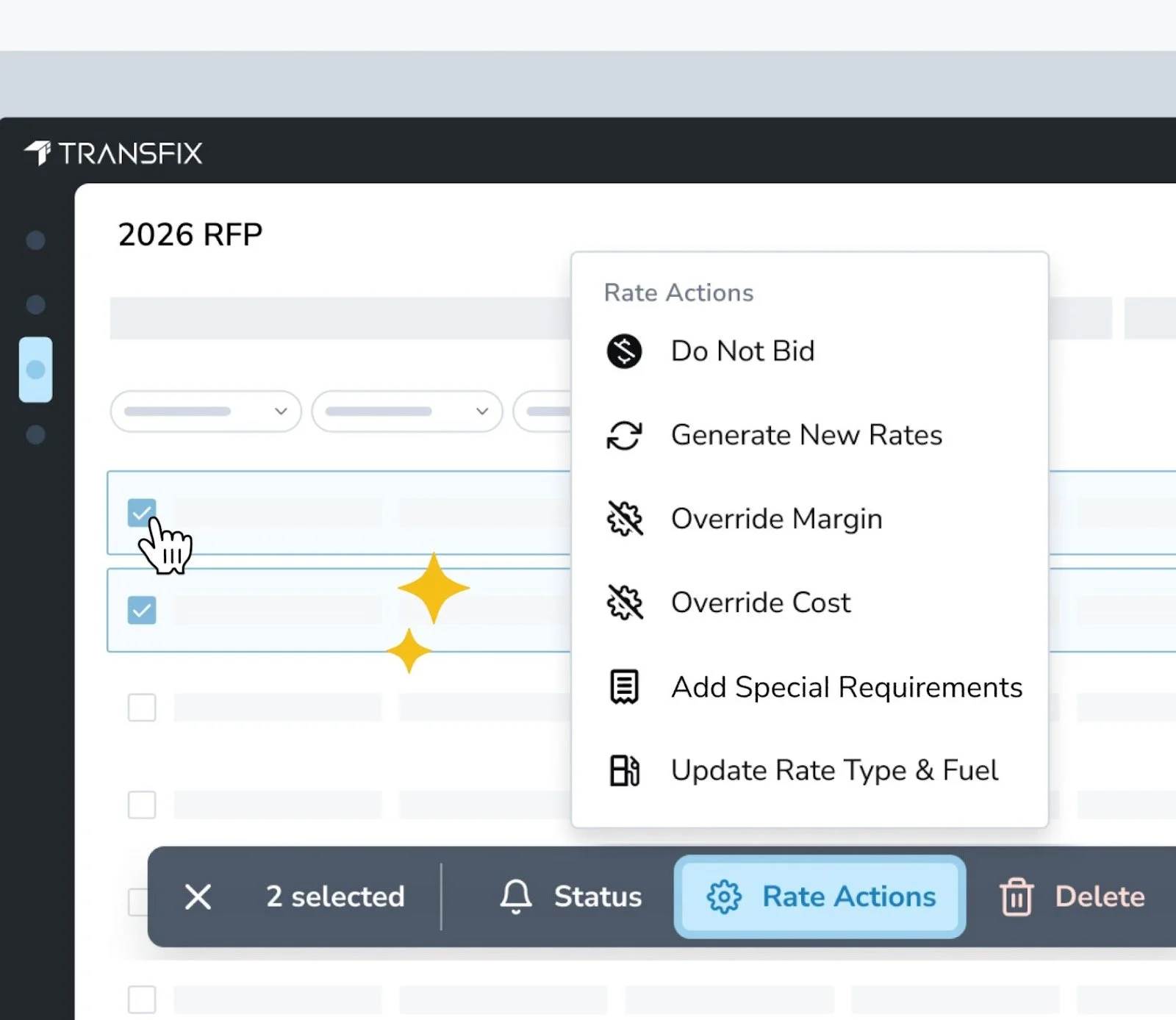
Transfix Contract RFP Bulk Actions / Rate Actions menu with multiple lanes selected
Improved API Documentation
We migrated our API documentation to a new platform to make integration easier and faster. The new experience includes an Integration Guide covering authentication, workflows, and common use cases. You can keep using the same credentials you used for the previous Swagger docs.
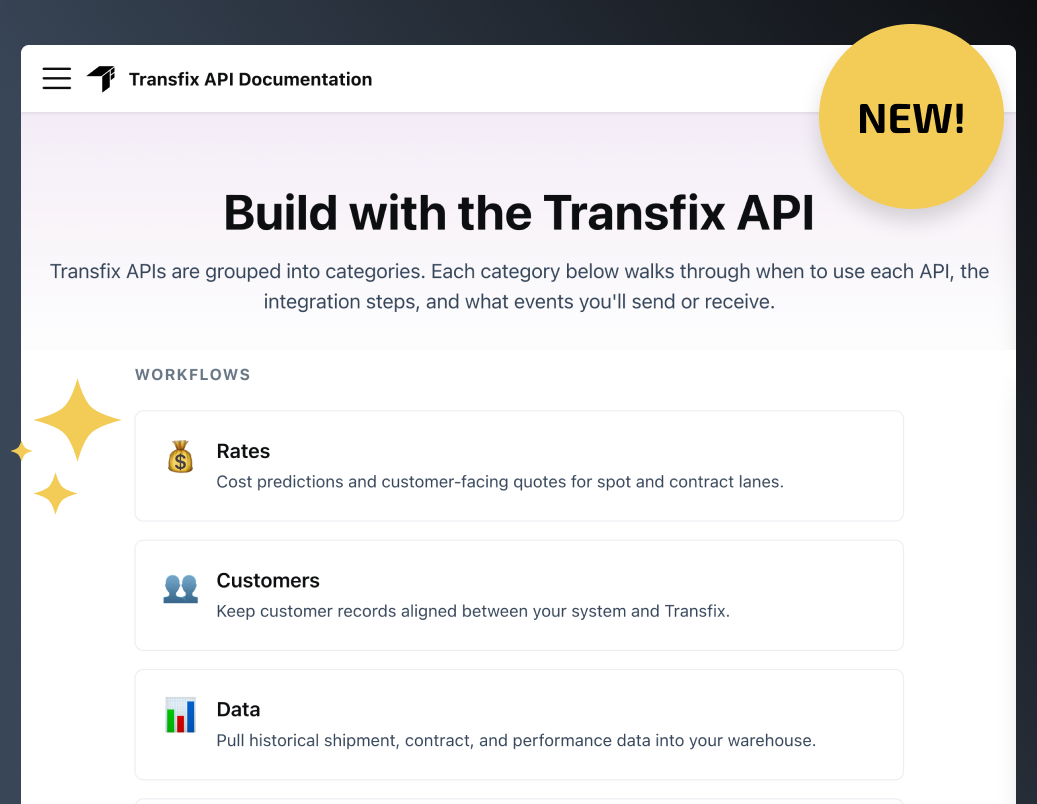
Transfix developer documentation home at devdocs.transfix.io
Want the full details?
Every release above is documented in our Help Center, and we'd love your feedback on what to build next. As always, reach out to our Product Support team with any questions.
