
What's New at Transfix: Q3 2026 Highlights
In Q3 2026, Transfix shipped more than 30 updates across three areas: Cost Model pricing, the Transfix Transportation Management System (TMS), and Data and Integrations. The biggest changes let brokers reprice a Contract RFP mid-contract, price ZIP3 lanes, bid asset and brokerage rates on the same lane, and catch carrier fraud before a load moves.
Everything below is live in production as of September 2026 unless marked otherwise.
Cost Model: Price Faster and Protect Margin Mid-Contract
Contract RFP Repricing
Contract RFP Repricing lets brokers reprice lanes when the market moves mid-contract, without uploading a new Request for Proposal (RFP). Pricing teams keep their award history and lane setup intact while their rates catch up to the market. Repricing FAQ
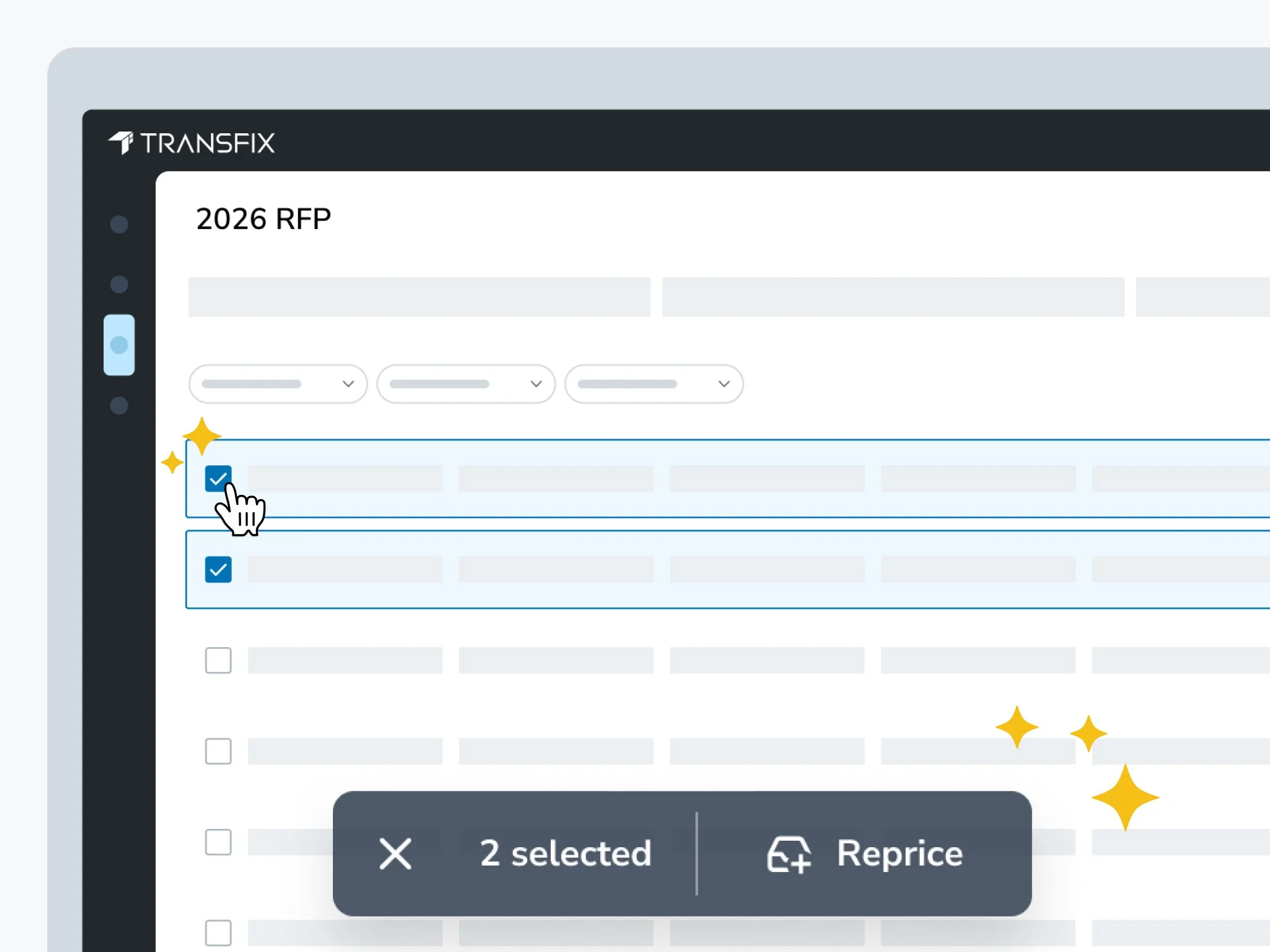
Transfix Contract RFP Repricing selecting lanes on a closed RFP to reprice mid-contract
ZIP3-Based Pricing
Brokers can now price ZIP3 lanes directly in a Contract RFP. For each ZIP3 lane, Transfix shows cost forecasts for representative ZIP5 lane pairs inside that region and defaults to the median pair. A spread indicator rates how much cost per mile varies across the region as Narrow, Moderate, or Wide, so pricing teams know when a ZIP3 bid carries more risk. ZIP3 FAQ
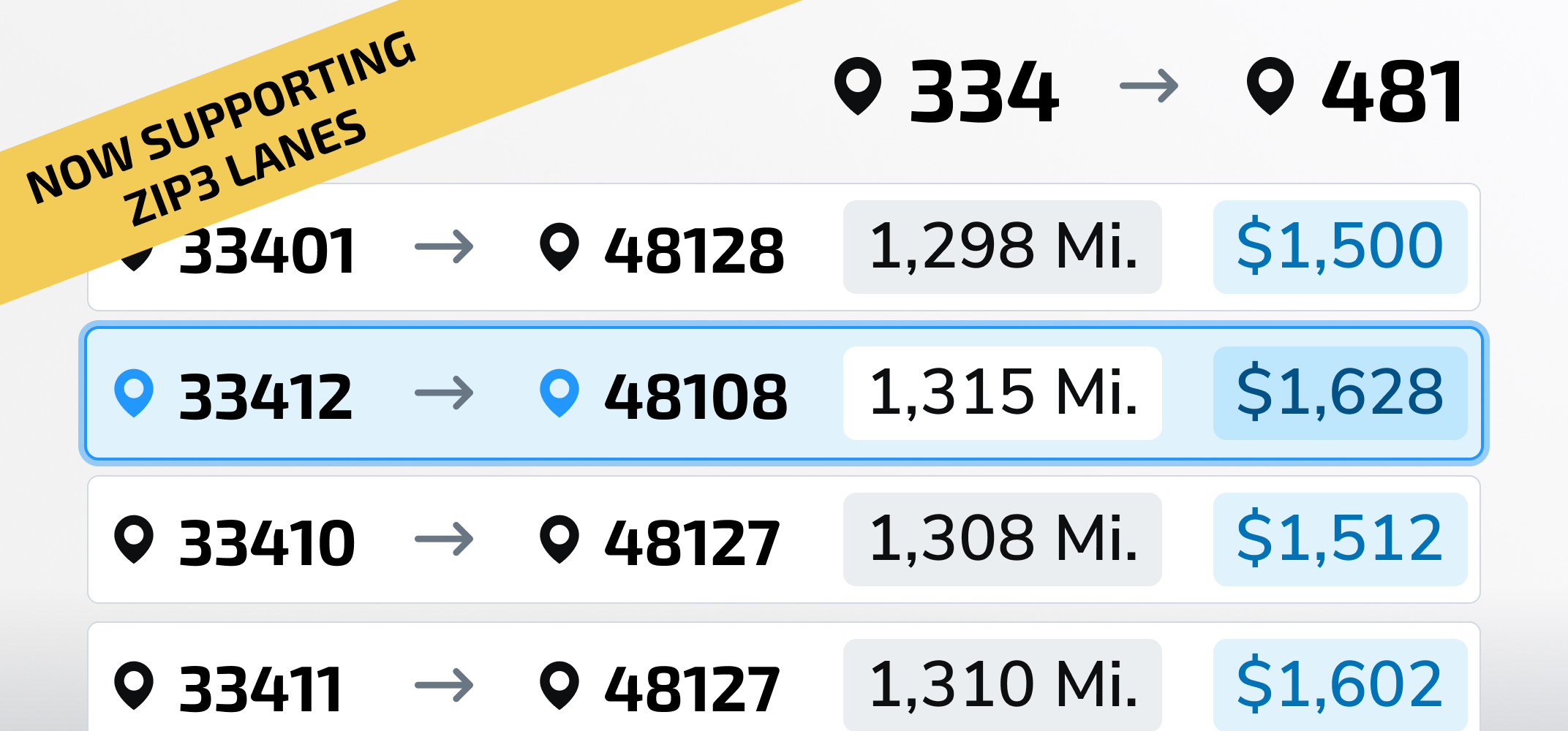
ZIP3-based pricing in a Transfix Contract RFP with representative ZIP5 cost forecasts and a cost-per-mile spread indicator
Asset-Based Carrier Pricing
Asset-based carriers and hybrid brokerages can now price, bid, award, and manage asset contract rates in the same RFP workflow as brokerage. Submit asset and brokerage rates on the same lane, award each lane to the winning division, and see awarded margin and revenue split by division. Asset rates come from a rate source you control and update anytime your costs change. Asset pricing is enabled per organization; contact your Transfix account executive to get started.
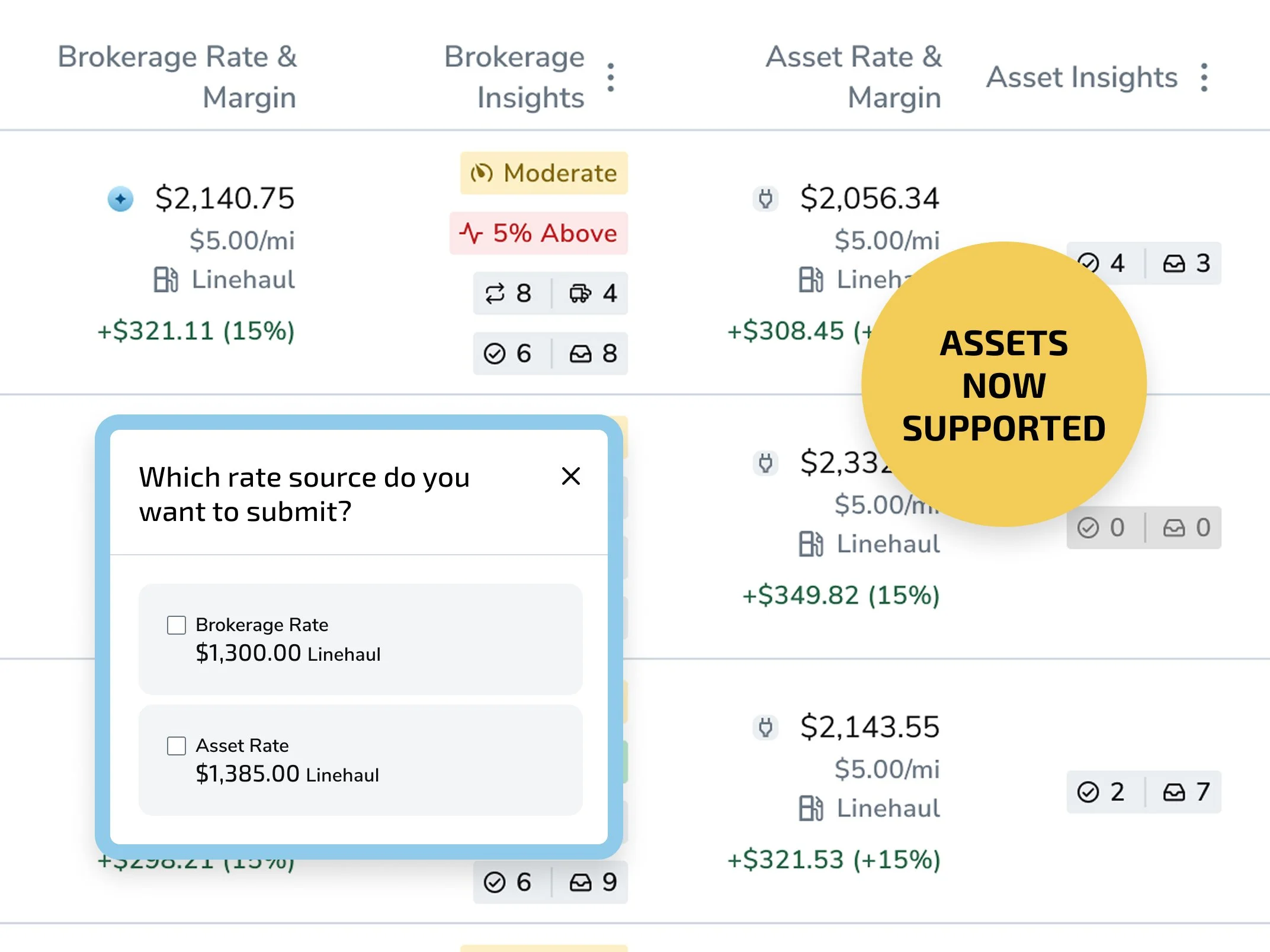
Asset and brokerage bids shown side by side on the same Contract RFP lane in Transfix
Contract RFP Summary Insights
Summary Insights shows which lanes need attention before you submit a bid. See aggregated lane risk, buying compared to market, carrier depth, and available volume across the entire RFP, then click any insight to filter the lane list. Summary Insights FAQ
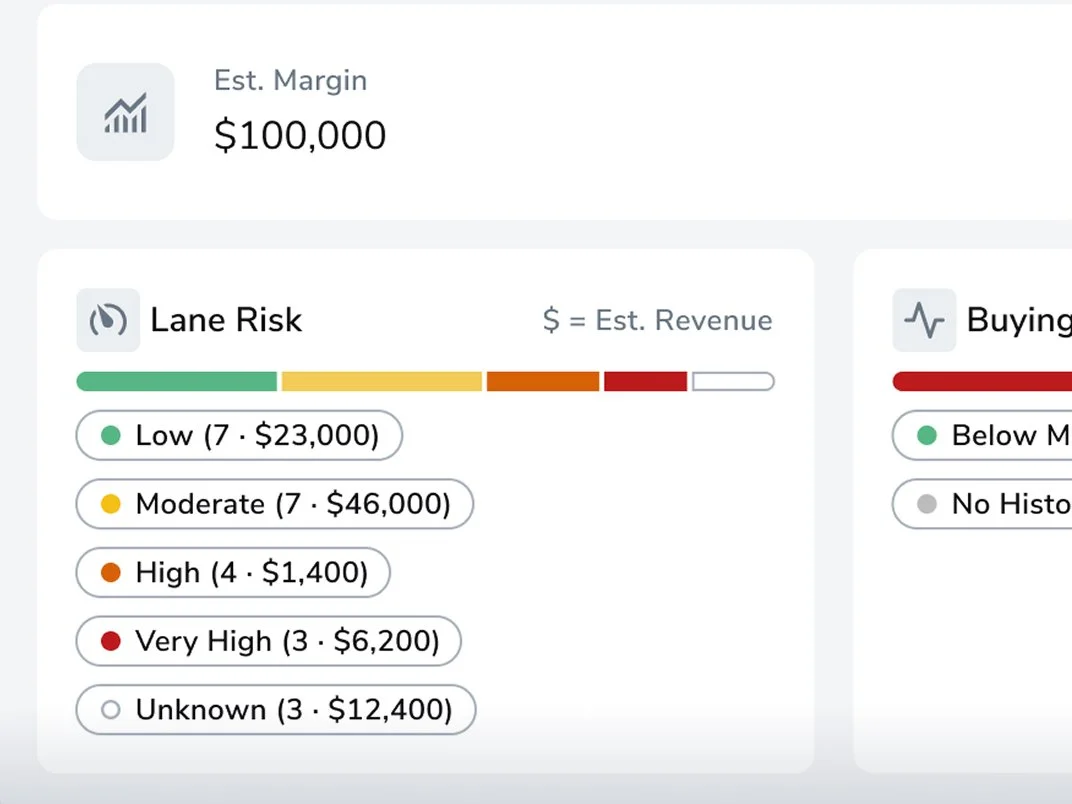
Contract RFP Summary Insights showing lane risk, buying versus market, carrier depth, and available volume
Faster Lane Navigation in Contract RFPs
Navigation arrows in Lane Details, plus keyboard arrow support, move pricers from lane to lane without closing and reopening the panel. On a thousand-lane RFP, that removes two clicks from every lane.
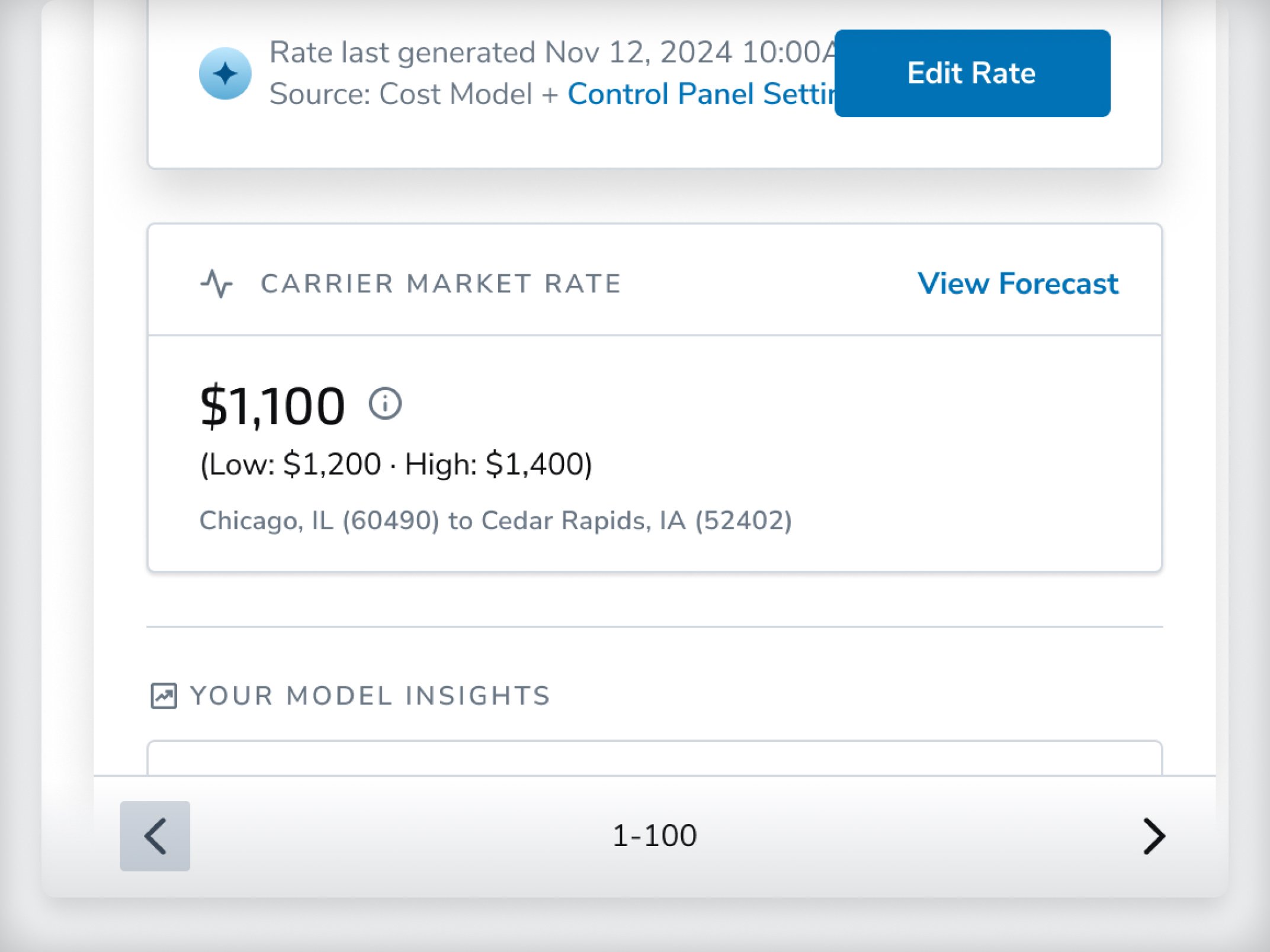
Faster Lane Navigation in Contract RFPs
Navigation arrows in Lane Details, plus keyboard arrow support, move pricers from lane to lane without closing and reopening the panel. On a thousand-lane RFP, that removes two clicks from every lane.
Day-of-Week and Floor Margin Rules
Two new Rates Control Panel rules put pricing strategy on autopilot. Day-of-week rules trigger pricing strategies on specific days and times, based on pickup time or when the rate is generated (Spot). Floor margin rules set a minimum margin as a percentage or flat dollar amount (Spot and Contract).
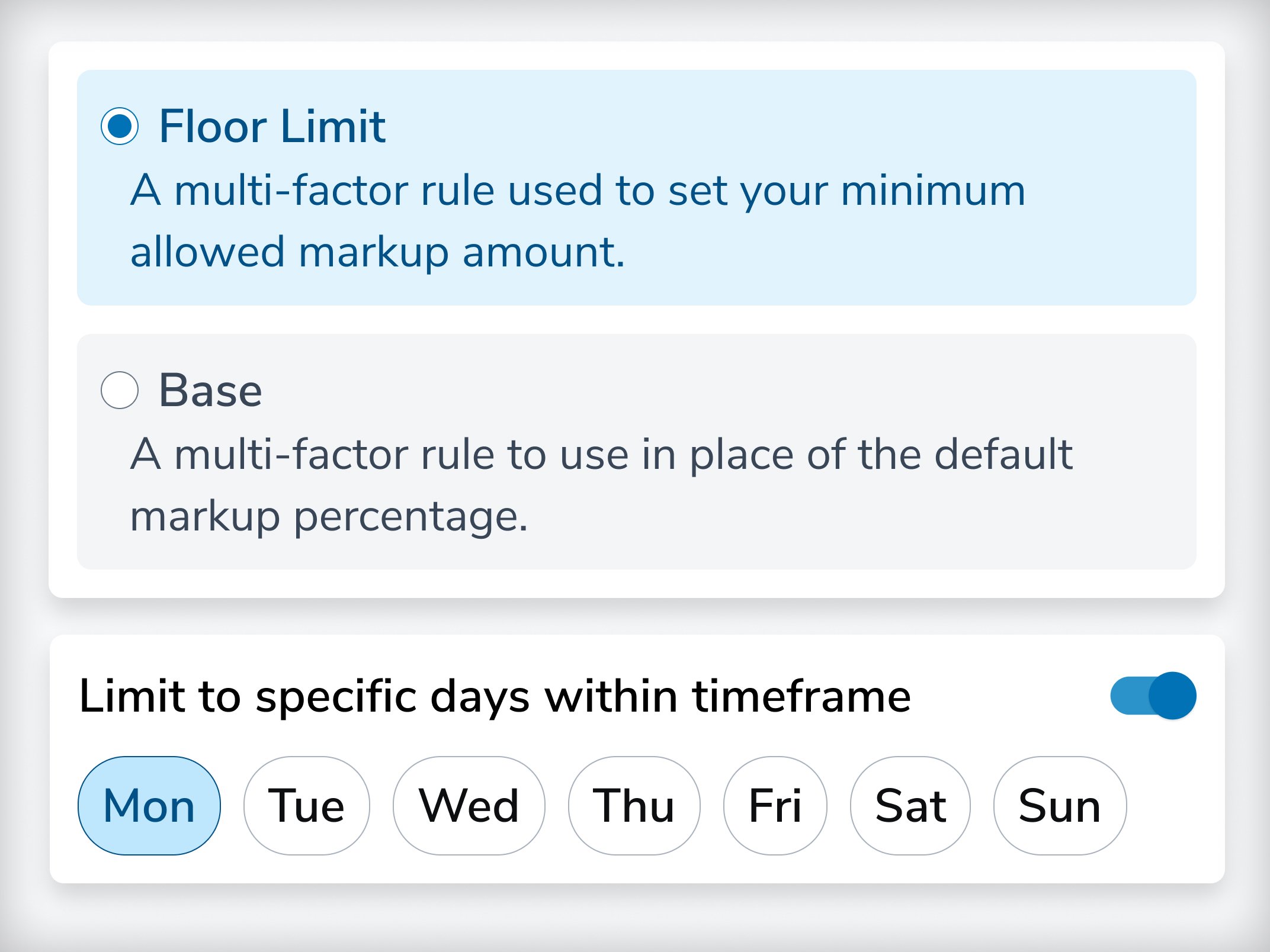
Day-of-week and floor margin pricing rules in the Transfix Rates Control Panel
Cleaner Rates Control Panel
The Control Panel now shows only active rules by default. A Rule Status filter surfaces rules deactivated in the last seven days when you need to review them.
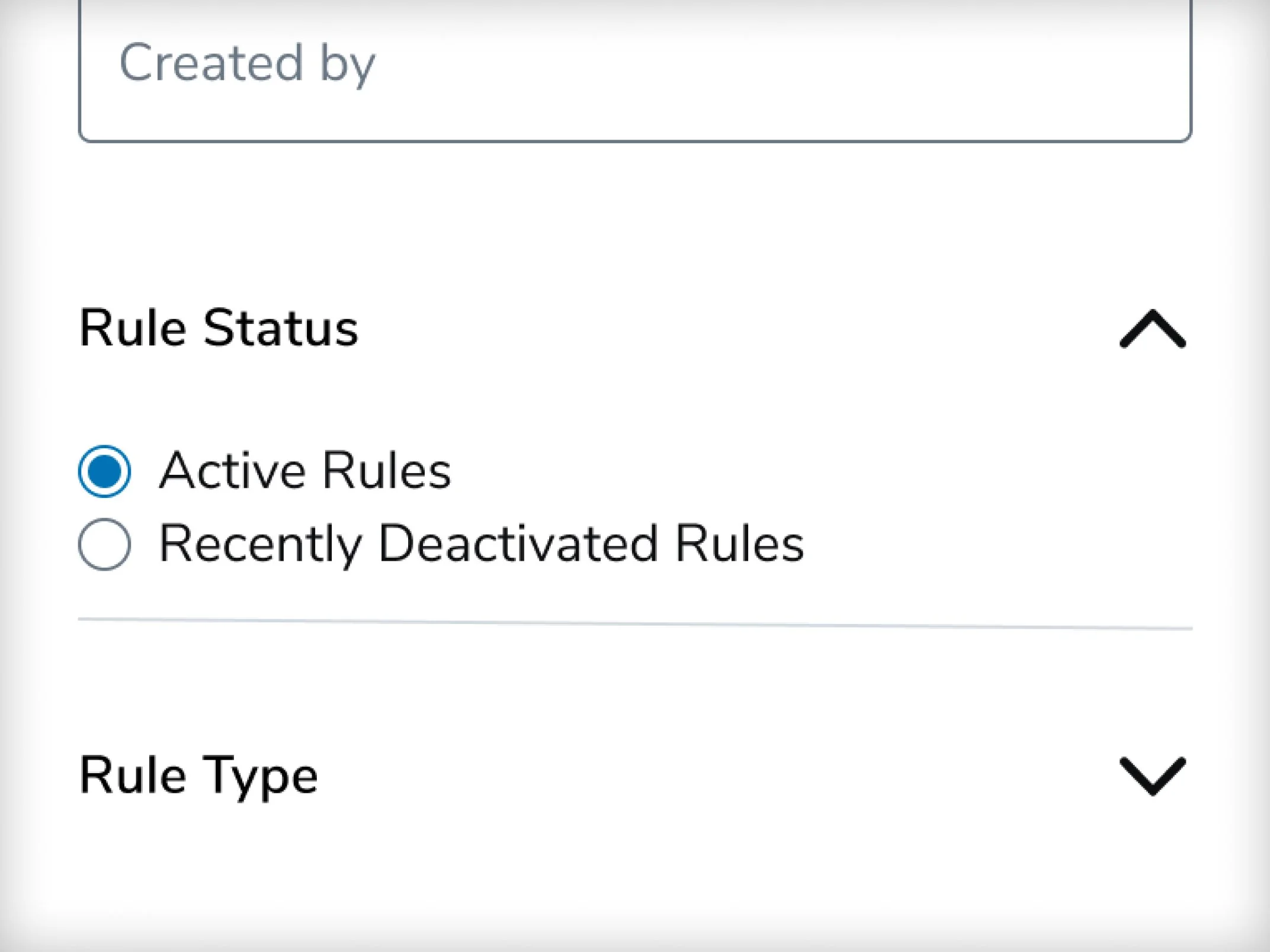
Rule Status filter in the Rates Control Panel showing active and recently deactivated rules
Spot Pricing to Market Report
The Spot Pricing to Market report shows how different pricing strategies affect spot win rate and margin. Drill down by customer, geography, or lane to see where your strategy is winning freight and where it's leaving margin behind.
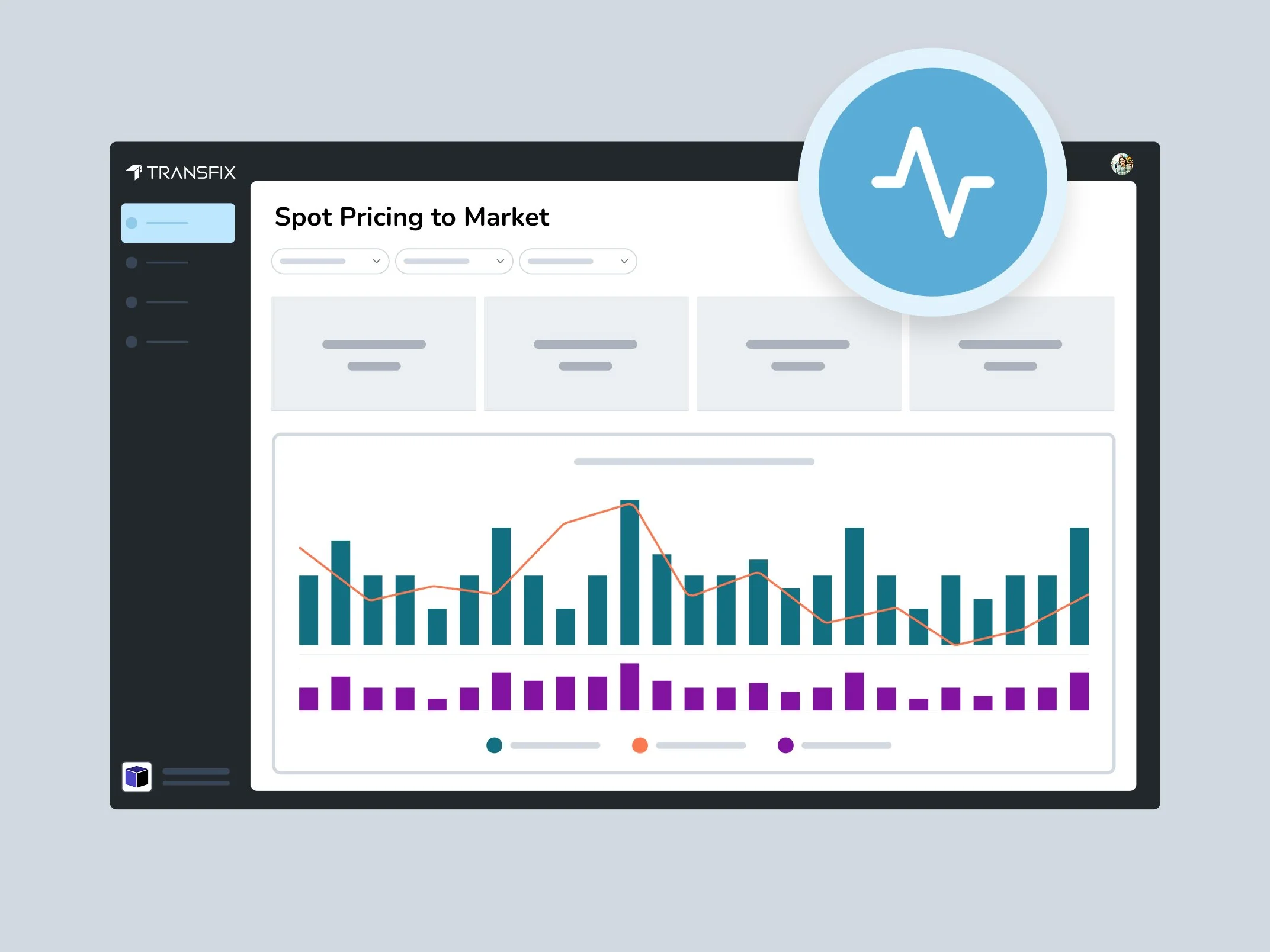
Transfix Spot Pricing to Market report comparing win rate and margin by pricing strategy
Spot Performance Monitoring
Spot Performance Monitoring compares expected and actual shipper rates, carrier costs, and margin for won spot quotes. It brings the discipline of Contract Performance Monitoring to spot freight and is available in the Spot Pricing to Market report and the Spot Transactions Bulk Data API.
Spot Performance Monitoring comparing expected and actual shipper rate, carrier cost, and margin on won spot quotes
Automatic Cleanup of Stale Spot Quotes
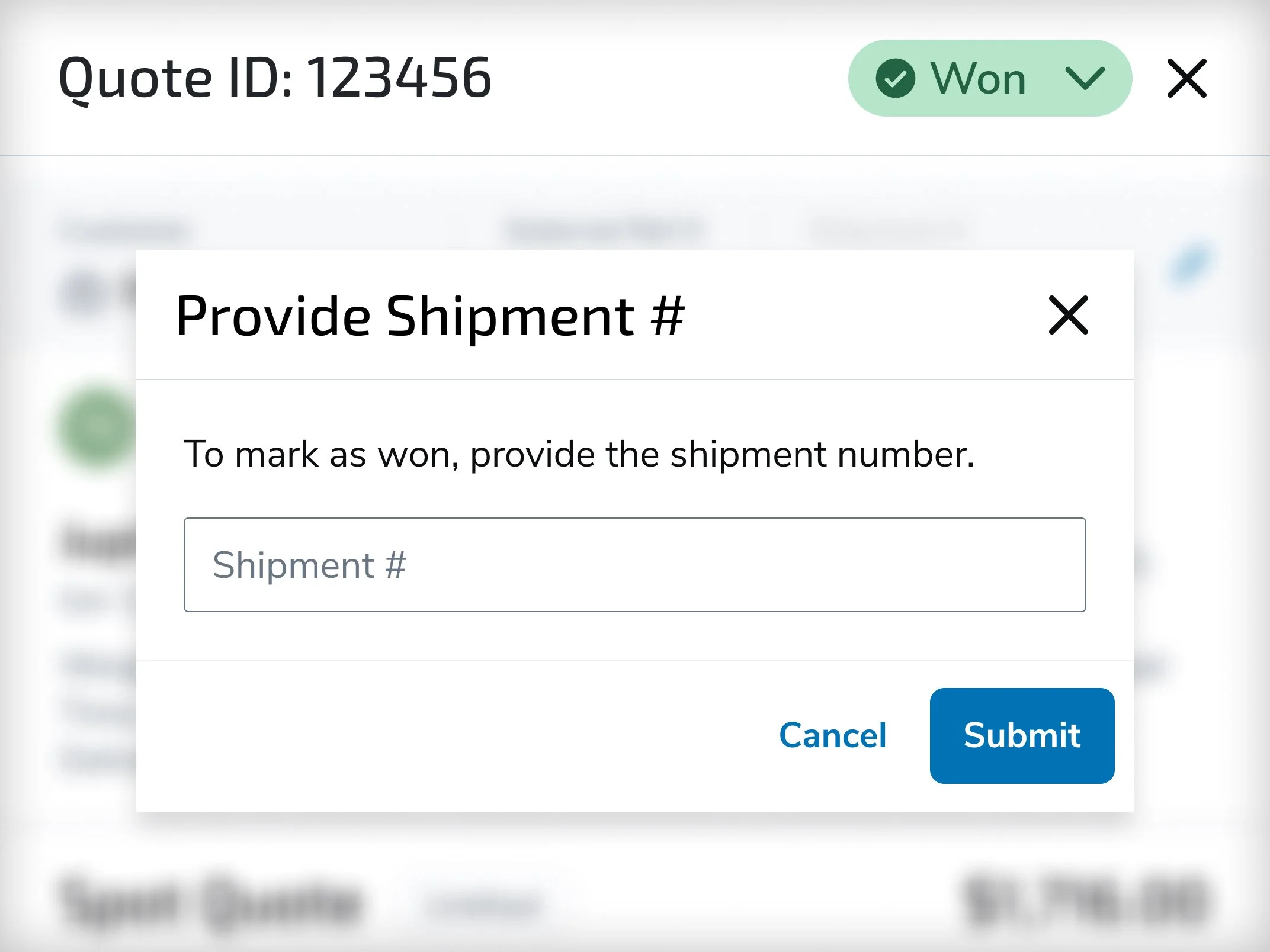
Spot quotes still in Submitted status 14 days after pickup now move to Lost automatically, so win-rate reporting stays accurate without manual cleanup. Users can also change a quote's status to reflect the latest outcome.
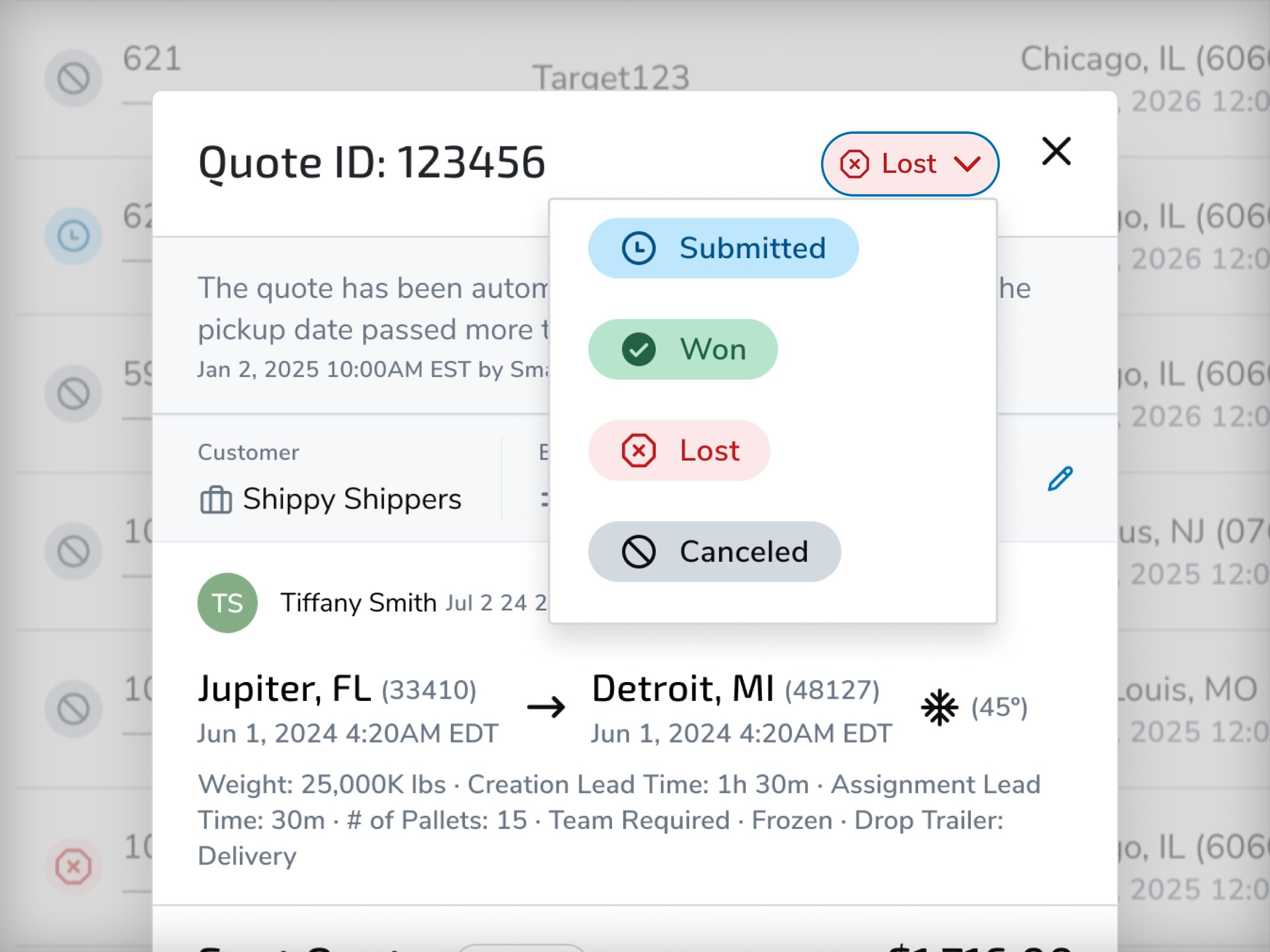
Spot quote list with statuses updated automatically from Submitted to Lost
Four-Decimal Fuel Surcharges
Per-mile and flat-dollar fuel surcharges now accept up to four decimal places, so rates match your fuel schedule exactly. Percentage-based surcharges are unchanged.
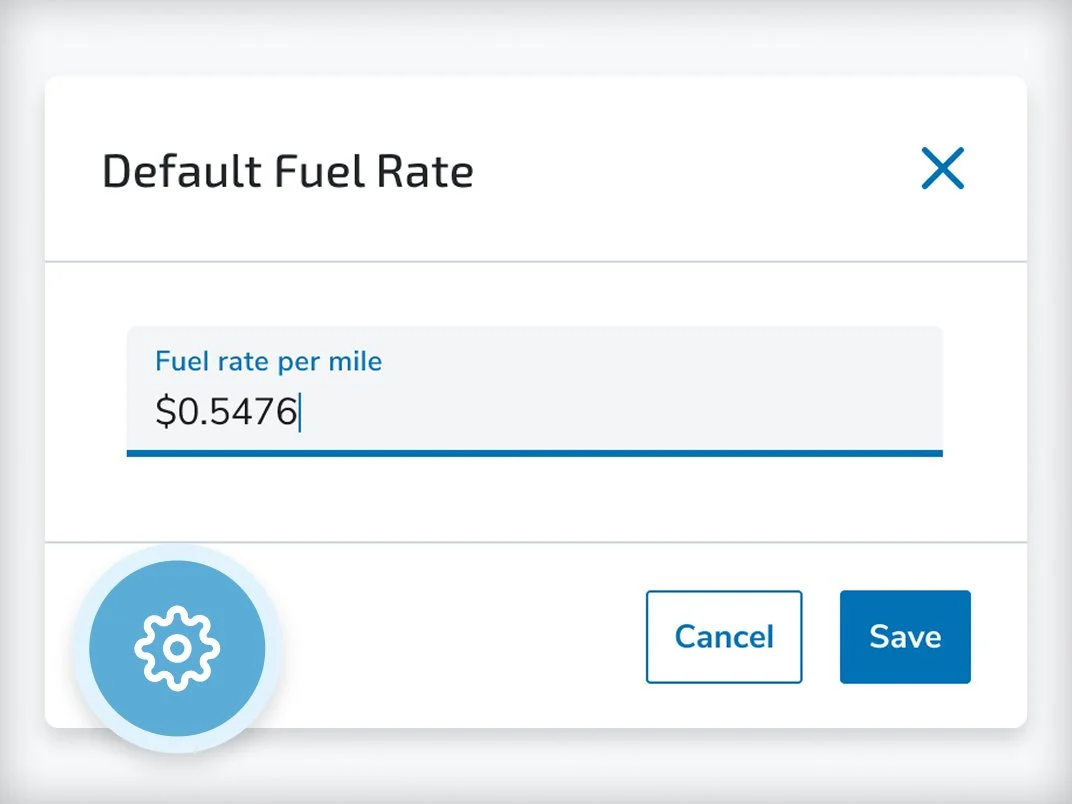
Fuel surcharge entry field accepting per-mile rates to four decimal places
Transfix TMS: Faster Coverage, Safer Loads, Less Manual Work
Shipments List Refresh and Side Panel
The rebuilt Shipments List finds any load by shipment ID, PO, BOL, carrier, or customer, with simplified multi-select filters and clearer statuses, multi-stop visibility, tracking progress, and the last action taken. A resizable side panel shows status, stops, reference numbers with one-click copy, rates, carrier and broker assignments, bids, compliance, load board posts, and notes without leaving the list. Users can tag teammates in shipment comments, and the list now works on any screen size, including mobile web.
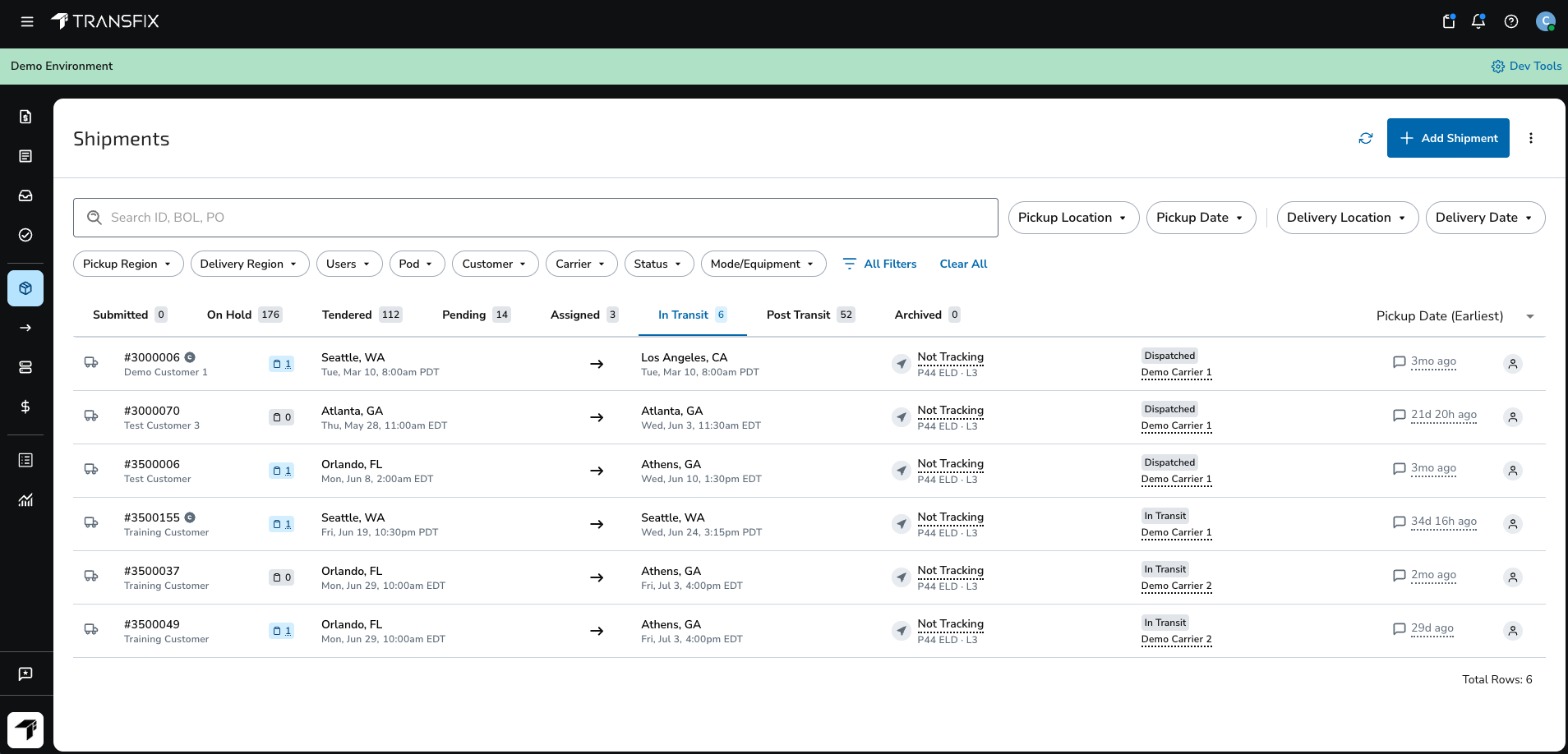
Refreshed Transfix TMS Shipments List with search, filters, and a shipment details side panel
Offer Expiration Visibility
The Shipments List now shows when each carrier offer expires. When 25% of the offer window remains, the TMS creates an issue for the assigned Carrier Manager (CM) so the team can follow up before the offer lapses.
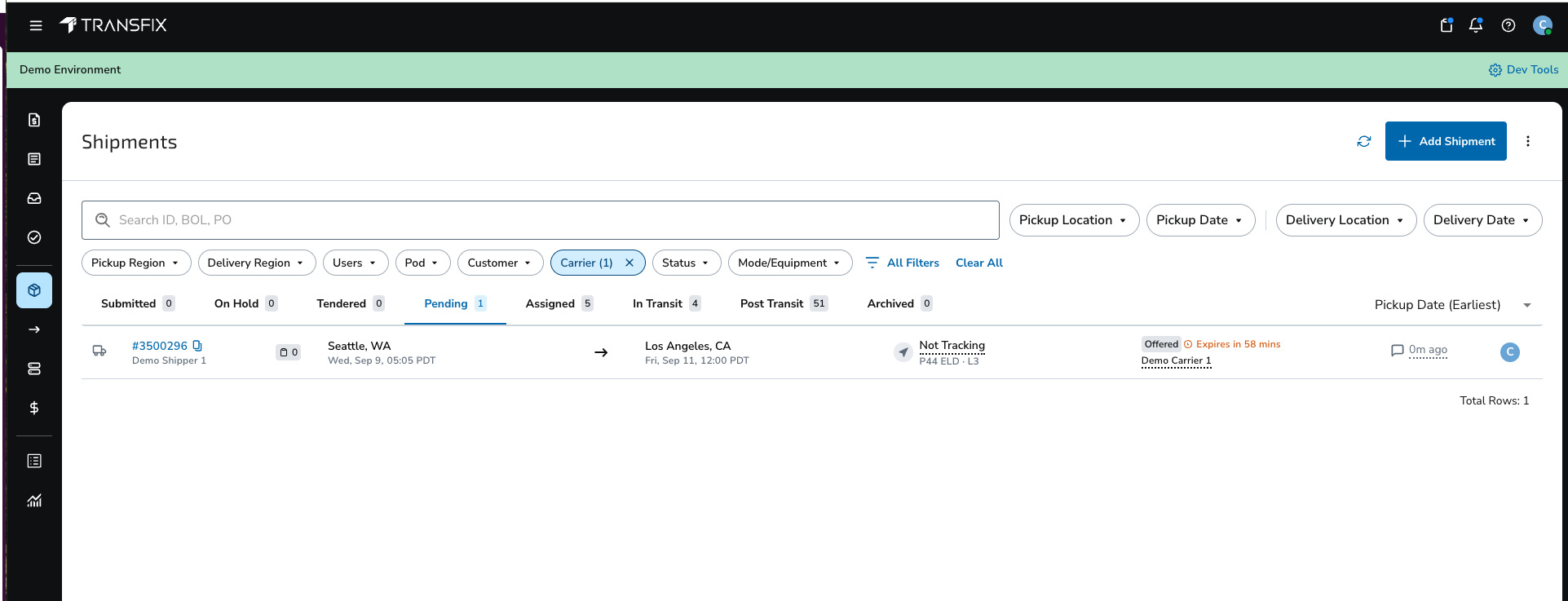
Carrier offer expiration time shown on the Transfix Shipments List
Highway Load Lock Fraud Alerts
Brokers using Highway Load Lock now get real-time fraud alerts inside the TMS at three points: user onboarding, load coverage, and in transit. New carrier users are screened for email and phone risk, the cover flow flags alerts on the carrier, dispatcher, or driver, and an alert on a moving load automatically opens an issue for the CM and compliance team.
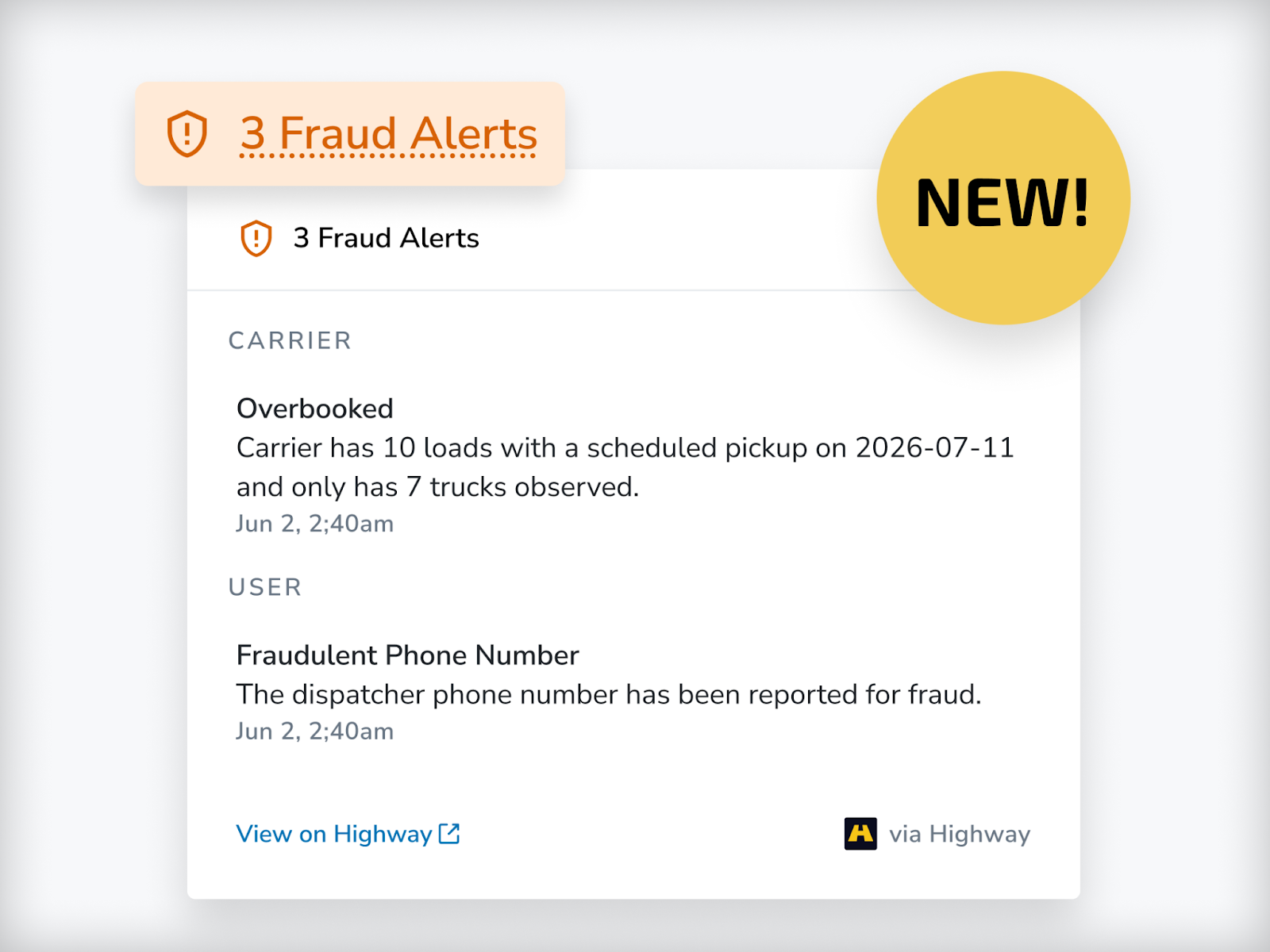
Highway Load Lock fraud alert flagged on a carrier during load coverage in the Transfix TMS
Highway Secure Rate Con
With the Highway integration enabled, rate confirmations go only to a carrier's verified contacts in Highway. Carriers authenticate before they view, accept, or reject, and the signed rate con attaches to the shipment automatically. New controls let brokers exclude specific freight modes, toggle Secure Rate Con per load from the Cover Modal or Accounting tab, and restrict the toggle to permitted users.
E3 Driver Verification
Assigning a driver now triggers an SMS that collects identity verification details and truck photos. Brokers see verification status in shipment details and can turn it off for any shipment. Drivers can also be added without an email address and are verified automatically.
MacroPoint and Shippeo Tracking
Every shipment can now track through MacroPoint via Electronic Logging Device (ELD), with SMS fallback to the driver's phone and geofences at pickup and delivery. The TMS also supports Shippeo for brokers whose shippers use it as their visibility platform.
DAT, Truckstop, and Carrier App Load Board Posting
Brokers can now post to Truckstop from the TMS alongside DAT. DAT posts can go out under the assigned rep's email, include shipment details and a digital booking link, refresh automatically to stay at the top of the board, and post automatically or per shipment. Brokers can also turn off Carrier App posting for any customer.
Smart Assignments
Smart Assignments routes work to the right people automatically. Define team pods, auto-assign CMs to shipments, and route tasks and issues to a fixed user, a pod, or whoever holds a shipment or customer role, such as the account's finance rep. In-app and optional email notifications alert users when they are assigned, and assignment history is one hover away.
Account-Based Access
Org admins can now control which customers each user sees: All Customers, Assigned Customers Only, Selected Customers, or All Except Selected. The filter applies across every customer-linked screen, and auto-assignment, notifications, and direct links respect it.
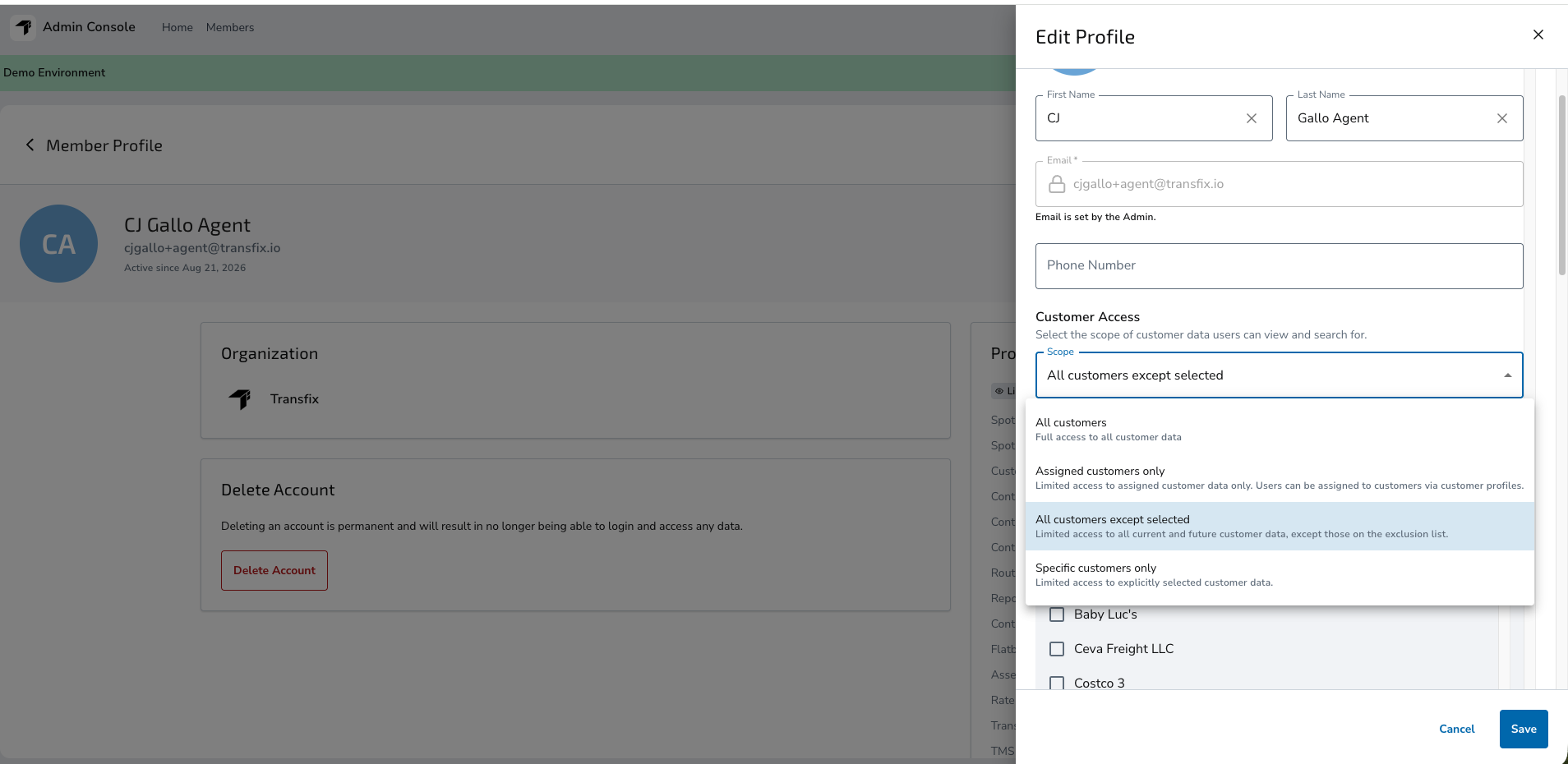
Account-based access settings letting an org admin choose which customers a user can see
Team Assignments on Customer and Carrier Lists
The Customers list now shows Account Manager, Account Ops, Carrier Ops, and Sales assignments, with filters and bulk assignment across many accounts at once. The Carriers list now shows and filters by CM assignment.
Expanded Equipment and Mode Support
A centralized, standardized list of freight modes and equipment types now flows across the TMS and Carrier Web, with consistent icons and filters on shipments, contract lanes, and drafts. Smart Assignments can route by mode and equipment, and equipment maps to DAT's supported types, with anything unsupported clearly flagged.
Invoicing and Accounting Controls
Batch Invoicing sends a customer one consolidated invoice for multiple shipments, and consolidated invoice emails bundle a customer's invoices into a single 9 a.m. ET email with broker AR copied. Brokers can also add shipment-level notes to invoices, track third-party vendor payments with a dedicated accessorial and report, get alerts when a customer nears its credit limit, and deduct prepayment fees from carrier pay automatically. Batch Invoicing FAQ
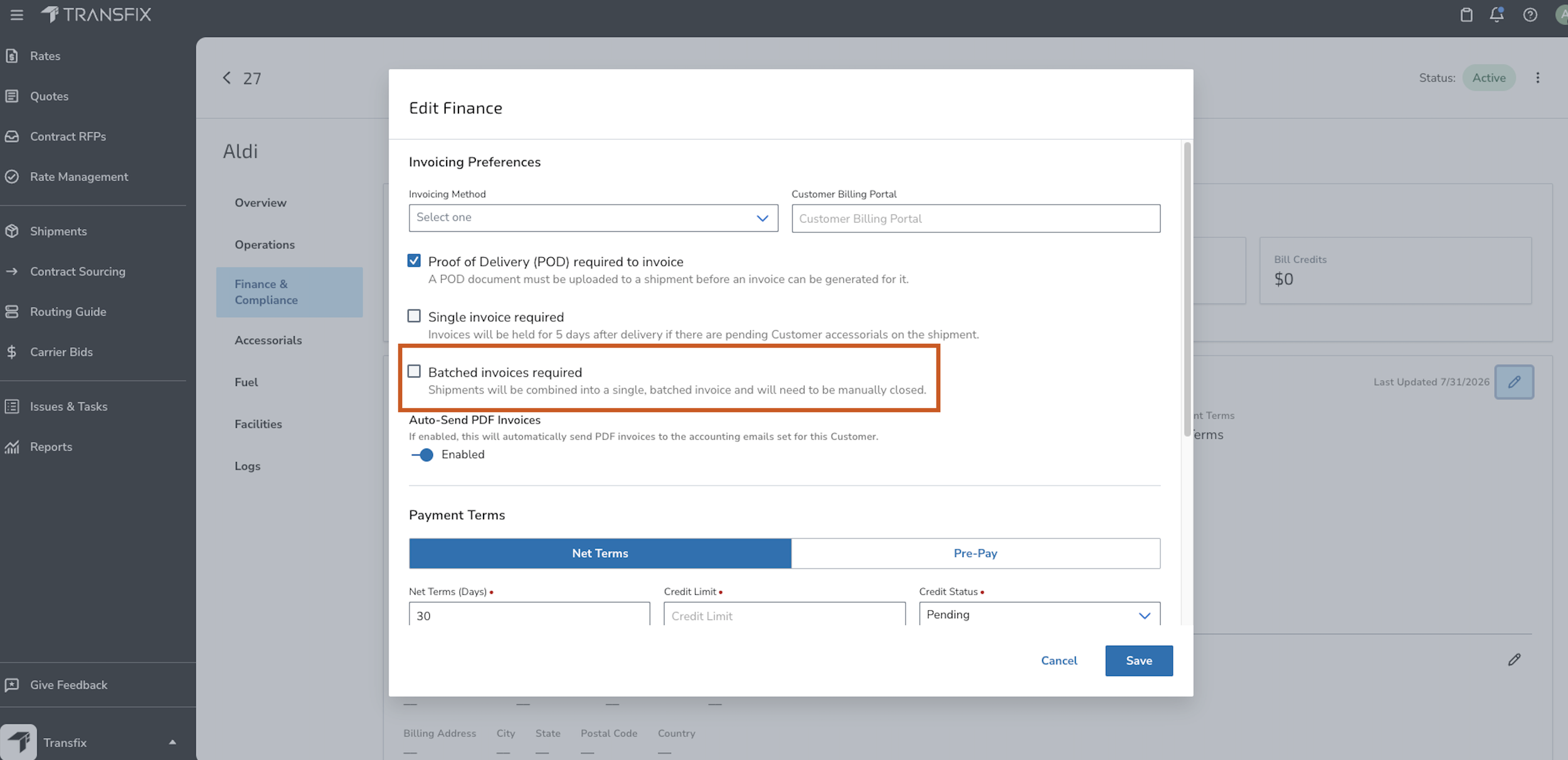
Batch invoicing setting on a customer profile in the Transfix TMS
Configurable Fuel Surcharges
Set each shipper's fuel week start and bill on the weekly Energy Information Administration (EIA) diesel price or a monthly average. Shipments rated before a new price publishes re-rate automatically once it is available.
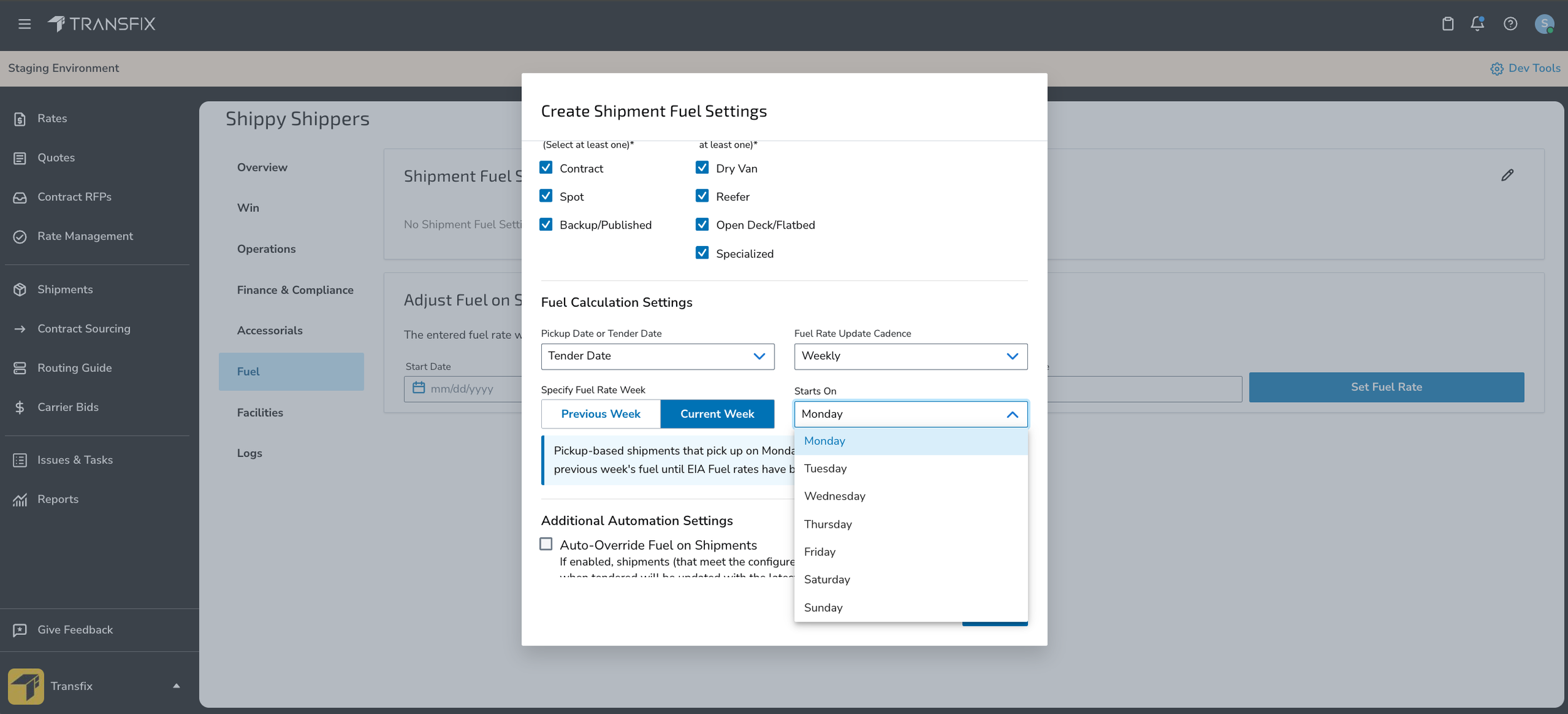
Shipper fuel surcharge settings with fuel week start and weekly or monthly EIA diesel price
EDI Tools and Reference Numbers
The redesigned EDI Tools page lets brokers self-serve customer Electronic Data Interchange (EDI) configurations. Every EDI reference number now appears at the shipment and stop level, can be edited on EDI and manual shipments, and prints on invoices. Brokers can also send a rejection reason to the EDI provider when they decline a tender. EDI Tools FAQ
Data and Integrations: Your Freight Data, Where You Need It
Live Data Access via Snowflake
Live Data Access lets brokers query their Transfix data in place with SQL through Snowflake secure data sharing, with no export job, file transfer, or pipeline to schedule. Customers already on Snowflake mount the share on their own warehouse; others use a Transfix-hosted reader account. A credit-usage view shows your own consumption.
Raw Data Models in the Bulk Data API
The Bulk Data API now includes Raw Data Models for 81 source tables across Cost Model and TMS, covering shipments and stops, carrier bids and assignments, invoices and bill lines, facility and carrier records, and RFP and rate-setting history. Each table is versioned independently, so an added column never breaks a pipeline, and breaking changes ship as a new version with at least 30 days' notice. Bulk Data API docs
Asset Pricing in Reporting and APIs
Reporting and APIs now carry asset equivalents of every brokerage column, including bid and awarded shipper rate, carrier rate, margin, and volume.
New TMS API Endpoints and Webhooks
New TMS API endpoints and webhooks cover shipments, accounting, customers, and EDI updates, so brokers can sync the TMS with the rest of their stack in real time.
Frequently Asked Questions
What did Transfix release in Q3 2026?
Transfix released more than 30 updates in Q3 2026, led by Contract RFP Repricing, ZIP3-Based Pricing, asset-based carrier pricing, Highway Load Lock fraud alerts, Truckstop load board posting, a rebuilt Shipments List, and Live Data Access through Snowflake.
Can I reprice a contract RFP without re-uploading it?
Yes. Contract RFP Repricing lets Transfix customers reprice lanes when the market moves mid-contract without uploading a new RFP.
Does Transfix support asset-based carriers?
Yes. Asset-based carriers and hybrid brokerages can price, bid, award, and manage asset contract rates in the same RFP workflow as brokerage, and award each lane to the asset or brokerage division.
How does Transfix help brokers prevent freight fraud?
The Transfix TMS integrates with Highway for fraud alerts during carrier onboarding, load coverage, and transit, plus Secure Rate Con to verified carrier contacts. E3 driver verification confirms driver identity by SMS when a driver is assigned.
Which load boards does the Transfix TMS post to?
The Transfix TMS posts to DAT, Truckstop, and the Transfix Carrier App, with automatic or per-shipment posting and auto-refresh on DAT.
How can I get my Transfix data into my own warehouse?
Use the Bulk Data API, which now includes 81 Raw Data Models, or Live Data Access, which shares your data directly through Snowflake so you can query it with SQL.
See It in Your Workflow
Every update this quarter came from the same place: operators telling us where their day slows down. Find setup details for each feature in the Help Center, or contact Product Support to share feedback. New to Transfix? Book a demo to see the platform built by a former digital brokerage, for brokerages.
